
My Account
Firefighter Party Text Generator
This theme currently contains one working tool: the Firefighter Fire Text Generator. It creates a forward-leaning red, orange, and yellow heading for a junior firefighter’s name, engine number, rescue-station title, invitation, or firehouse welcome. There are no additional firefighter child presets on this page to compare.
The Available Fire Text Style
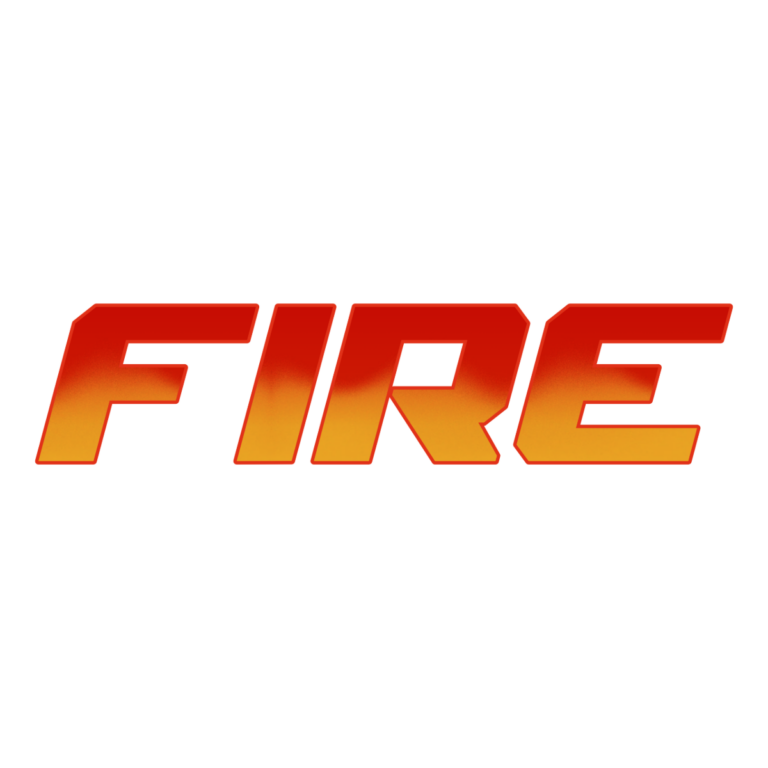
Firefighter Fire Text Generator uses Mechfire Italic at a large 140-pixel starting size. Its face transitions from deep red #E13118 through orange to yellow #EBAB25, with an active texture, golden outline, and dark-red extrusion. The low, wide, italic form suggests speed and heat without adding a separate illustrated flame icon.
Use it for short action wording such as a first name, “ENGINE 5,” “RESCUE CREW,” or “FIREHOUSE.” A full sentence becomes very wide and reduces the texture. The gradient and depth are easiest to read on charcoal, navy, white, pale gray, or a quiet brick-colored panel that does not repeat the same flame-like colors.
Place the Headline Where It Helps Guests
Make the guest of honor’s name the entrance or backdrop centerpiece. Create separate station headings for a hose-target game, gear-up photo area, rescue course, food table, or favor pickup. Use the decorative PNG only for the station name and put rules, age guidance, allergy notes, and emergency information in a plain high-contrast font.
Real emergency and fire-safety signs should never be replaced by party lettering. This tool produces decoration, not compliant safety communication. Keep exits, venue instructions, and actual warnings visible and unaltered.
Generate a Firehouse Party Set
- Enter a short name, engine number, or station title.
- Check the preview for the italic leading edge, dark depth, and full golden outline.
- Leave extra crop space in the direction the letters lean.
- Download the raster PNG and place it on the actual invitation or sign background.
- Print the smallest badge or favor label before creating the full batch.
The output is not an installable font, SVG, animated flame, emergency sign, or complete printable. Fine texture and the outline can soften at small sizes, while an undersized export should not be enlarged for a large backdrop. Preserve the aspect ratio and verify dimensions with the printer.
Common Questions
Are there multiple firefighter styles to compare?
No. Firefighter Fire Text is the only child tool in this theme, so choose it for the heat-gradient look or browse another theme for a different visual direction.
Can I use an engine number?
Enter the number with the short name or create it as a separate PNG, then inspect the exact characters in the preview before download.
What is the safest way to share files with a venue?
Send the decorative PNG with its intended placement clearly labeled. Do not cover required venue or emergency signage, and keep operational information as normal text.
Return to the Party Text Generator Directory, or compare other bold industrial looks in Construction and Baseball.

