
My Account
Stitch Party Text Generator
This Stitch-inspired collection has one playful red text generator for names, ages, and short island-party phrases. Its irregular hand-shaped letterforms feel more casual than a polished logo and can support a welcome sign, invitation, photo backdrop, dance area, snack station, favor tag, or family-style message. Use it for display wording, then keep practical details in a simpler font.
The Available Island-Style Preset
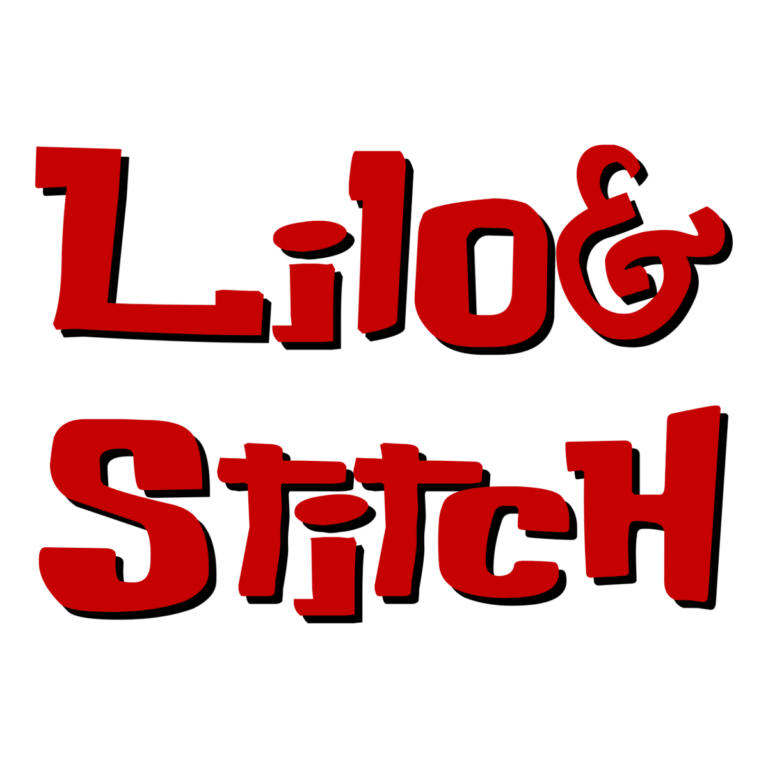
Lilo and Stitch Font Generator: Buka Bird lettering with a solid #C50101 red face and a very short black depth layer. The preset begins with two lines and unusual capitalization, but the input is editable. It has no active outline or background, so the surrounding PNG area can remain transparent.
There is no second Stitch child tool in the collection. Choose this preset when its loose silhouette and red color suit the hero name or one supporting phrase. If you need ocean-blue lettering, a softer nursery style, or a yellow undersea centerpiece, compare the Moana, Teddy Bear, and SpongeBob collections before building the full set.
Use the Red Name as an Island Accent
- Place a first name and age on the entrance sign or invitation cover.
- Label a dance area, tropical snack station, craft table, photo spot, or favor pickup.
- Use a short family message on a thank-you image or memory board.
- Share this generator page with relatives who want to create another name in the same loose treatment.
Cream, pale aqua, light sand, and soft sky blue give the red silhouette clean separation. Because no outline is active, hibiscus prints, dark tropical photos, and other red decorations can interrupt the letters. Add a quiet panel behind the PNG rather than placing it directly over a busy scene.
Preview the Letter Shapes, Not Just the Color
- Enter one short name, age, or island phrase.
- Inspect capitalization, narrow openings, line balance, and the small black depth.
- Download the PNG and place it on the exact invitation or sign background.
- Print one small tag before creating every favor label.
- Set addresses, schedules, food notes, and activity directions as accessible live text.
The output is raster artwork, not an installable font, editable vector, character illustration, licensed logo, or complete invitation. The custom uppercase and lowercase forms can look very different, so rely on the preview. Long wording can become thin and lose the minimal depth; separate a name from its subtitle.
Common Questions
Should I copy the sample capitalization?
No. Enter the capitalization you want and judge the actual result onscreen. The custom face gives some upper- and lowercase characters distinct shapes.
Can this sit on a tropical flower background?
It can if the area behind the letters is quiet. A pale solid panel is safer than red flowers crossing the strokes.
How can guests make personalized island names?
Share the page link at a craft station or in a post-party message. Families can enter their own wording instead of changing your flattened file.
Browse the Party Text Generator Directory, or compare the related Moana, Teddy Bear, and SpongeBob collections.
This independent PartyTopiie tool is not affiliated with, sponsored by, or endorsed by Disney. Lilo & Stitch and related trademarks belong to their respective owners.

